Patient context
Work with the relevant patient information
Patient notes, conditions, complaints, contact information, and relevant alerts can remain visible while the team works with a visit.
Explore patient management → CliniTech
Visit management
Keep the patient, doctor, schedule, visit status, reason, procedures, treatment information, follow-up context, and visit history connected in one clinic workflow.
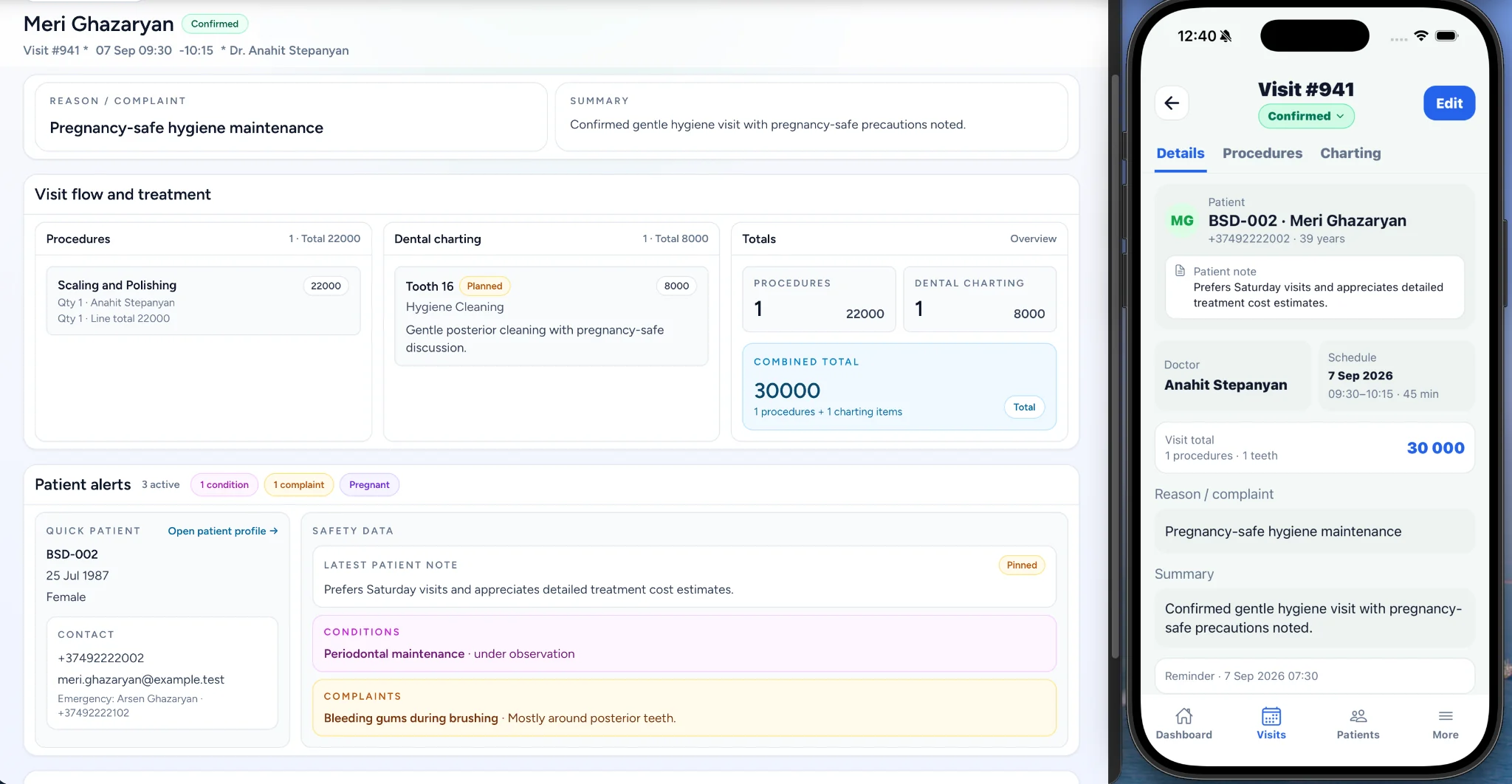
Complete visit record
Keep the patient and doctor, date, time, duration, status, reason, summary, procedures, treatment information, and reminder or follow-up context together.
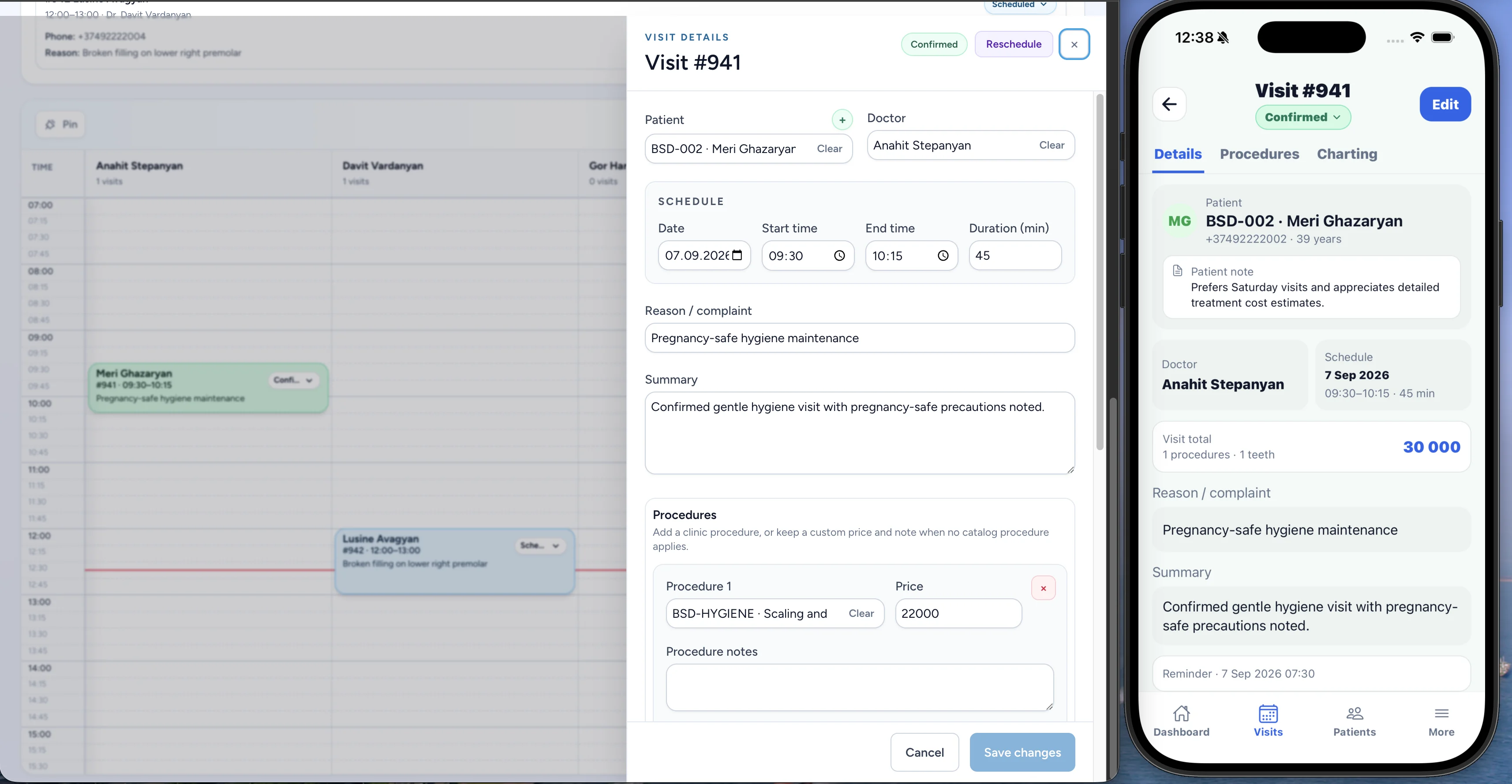
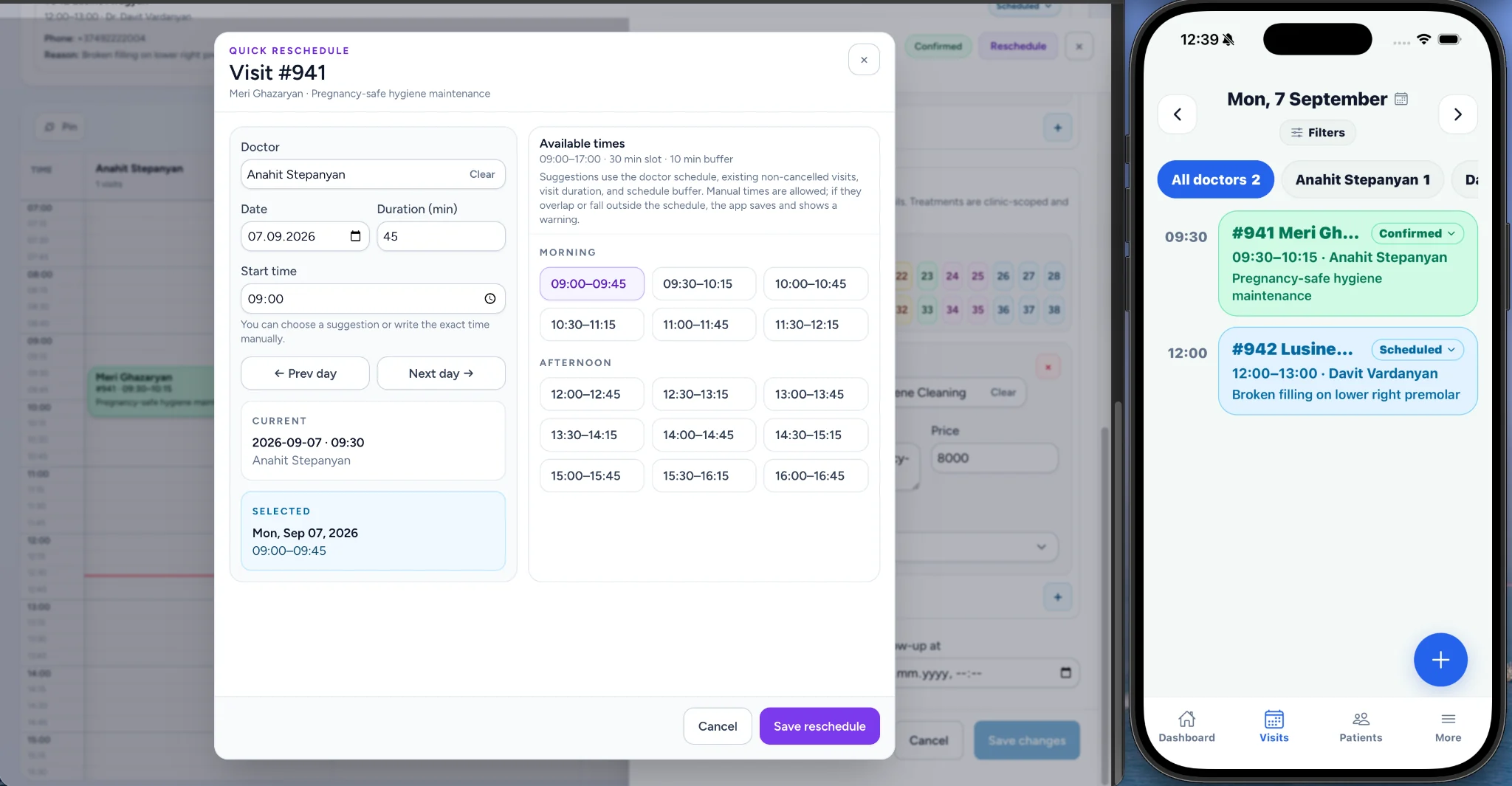
Rescheduling
Select a doctor, date, and duration to see schedule-aware suggested times. Staff can choose another day or set a time manually while keeping the visit connected after rescheduling.
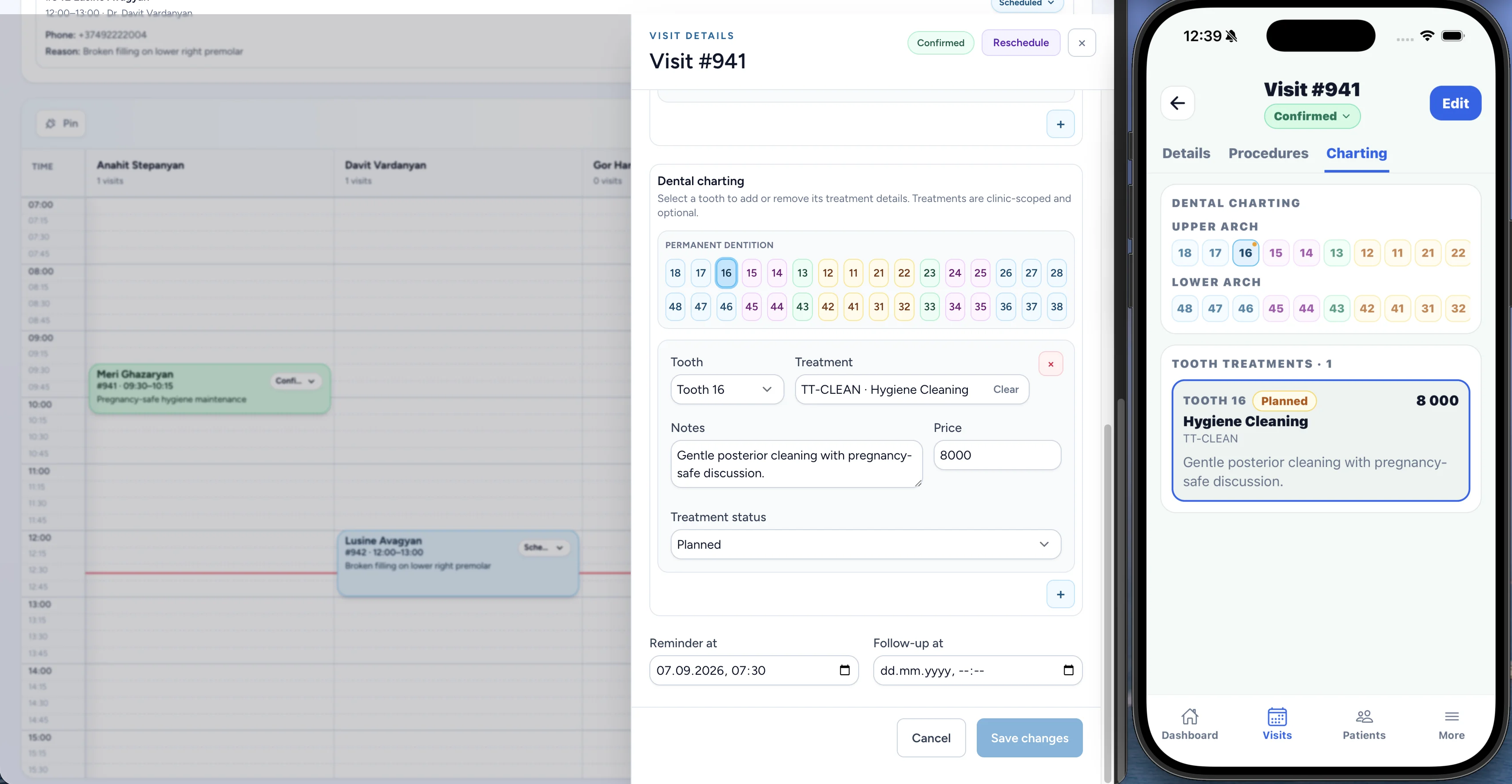
Procedures and treatment
Procedures and treatment information belong to the visit record rather than disconnected records. Dental charting is one example of specialized treatment information available when needed.
Patient context
Patient notes, conditions, complaints, contact information, and relevant alerts can remain visible while the team works with a visit.
Explore patient management →Daily workflow
Use scheduled, needs confirmation, confirmed, completed, no answer, cancelled, and rescheduled visit states to coordinate the day and Call to Confirm workflow.
Explore doctor scheduling →Related features
Web + mobile
Relevant staff can work with visits on desktop and mobile according to their roles and permissions.
Clinic visit management software keeps the patient, doctor, schedule, status, treatment information, and follow-up context connected in one workflow.
Yes. Visits include the assigned doctor alongside the patient, date, time, status, and clinical context.
Yes. CliniTech keeps the visit connected while staff select a doctor, date, duration, and a new time.
Yes. The rescheduling workflow shows schedule-aware suggested times and allows staff to choose another day or set a time manually.
Yes. Procedures and treatment information can be recorded as part of the visit record.
Yes. Visit workflows keep relevant patient notes, conditions, complaints, contact information, and alerts close to the visit context.
CliniTech supports visit workflows on web and mobile, with access based on each staff member’s role and permissions.
No. CliniTech supports general clinic visit workflows; dental charting is an example of specialized treatment information available when needed.
Bring patients, doctors, visit details, and daily coordination together in CliniTech.