
Clinitech CliniTech

Connected scheduling for clinic teams

Doctor Scheduling Software for Clinics

Organize doctor availability, daily visits, schedule rules, and clinic workload in one connected calendar across web and mobile.

Keep doctors, visits, and the clinic day connected in one operational view.

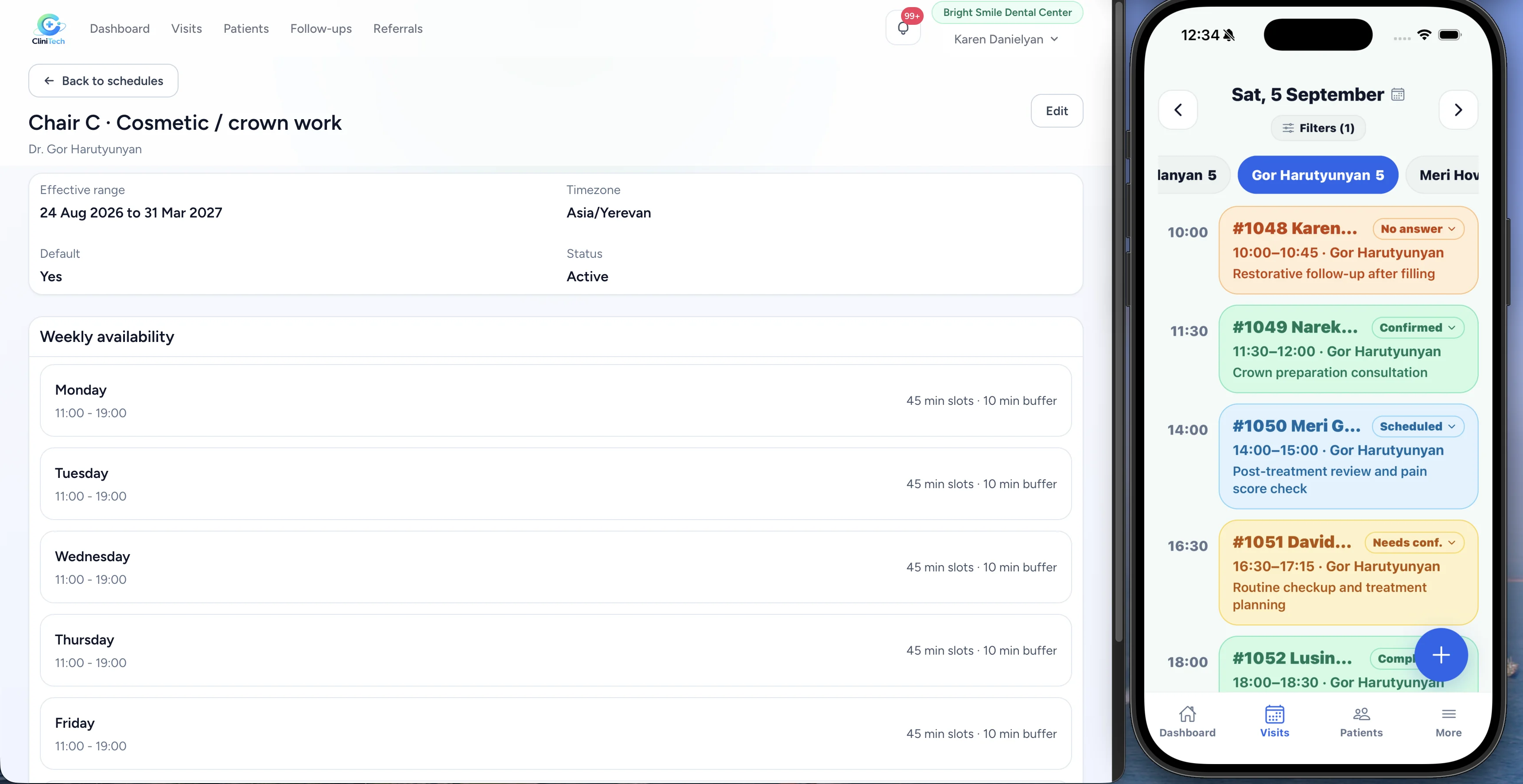
Doctor availability on desktop with the daily visit schedule on mobile

Daily clinic calendar

See the whole clinic day at a glance

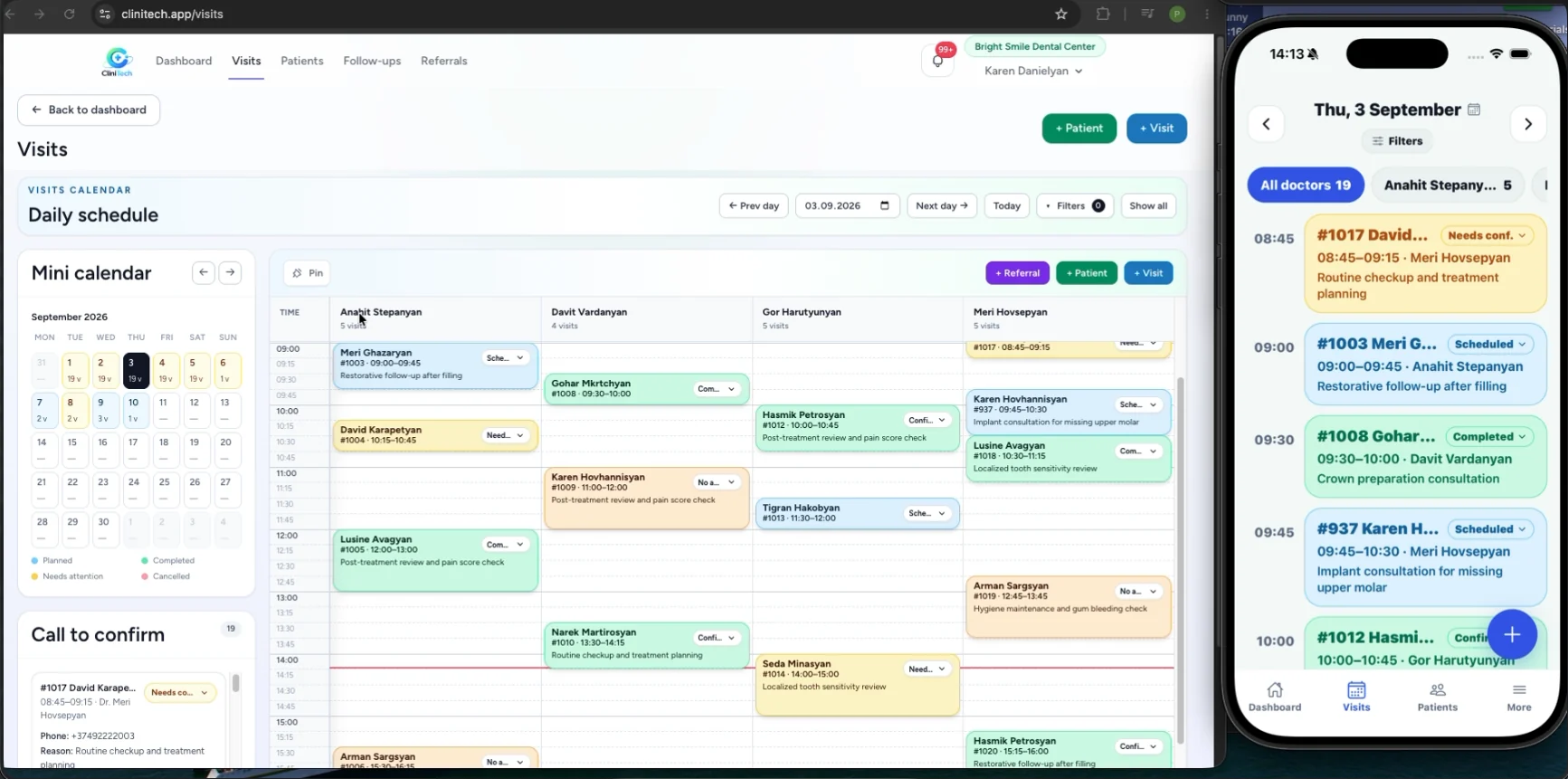
See multiple doctors in one calendar with visit times, statuses, reasons, filters, and daily navigation. Relevant staff can also work with the schedule on mobile.

Explore the getting started guide
Daily multi-doctor visit calendar
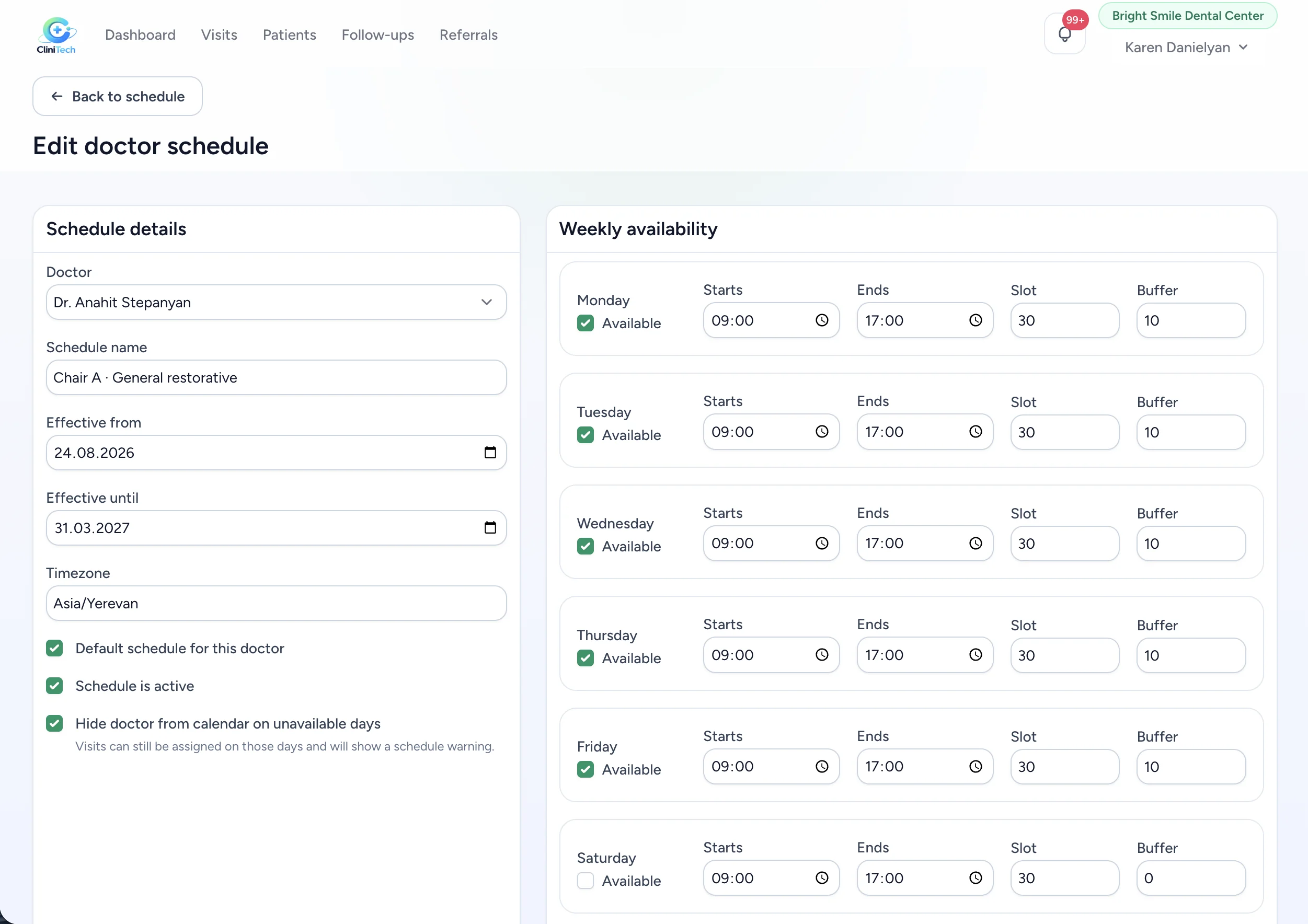
Doctor schedule settings with weekly availability

Doctor availability rules

Set each doctor’s working schedule

Set the doctor, schedule name, timezone, effective period, and weekly availability. Each day can include working start and end times, a schedule slot, a buffer, and unavailable-day behavior.

Schedules can be marked as default or active, while availability rules keep the calendar aligned with the clinic’s working day.

Clinic schedule management

Keep every doctor’s schedule organized

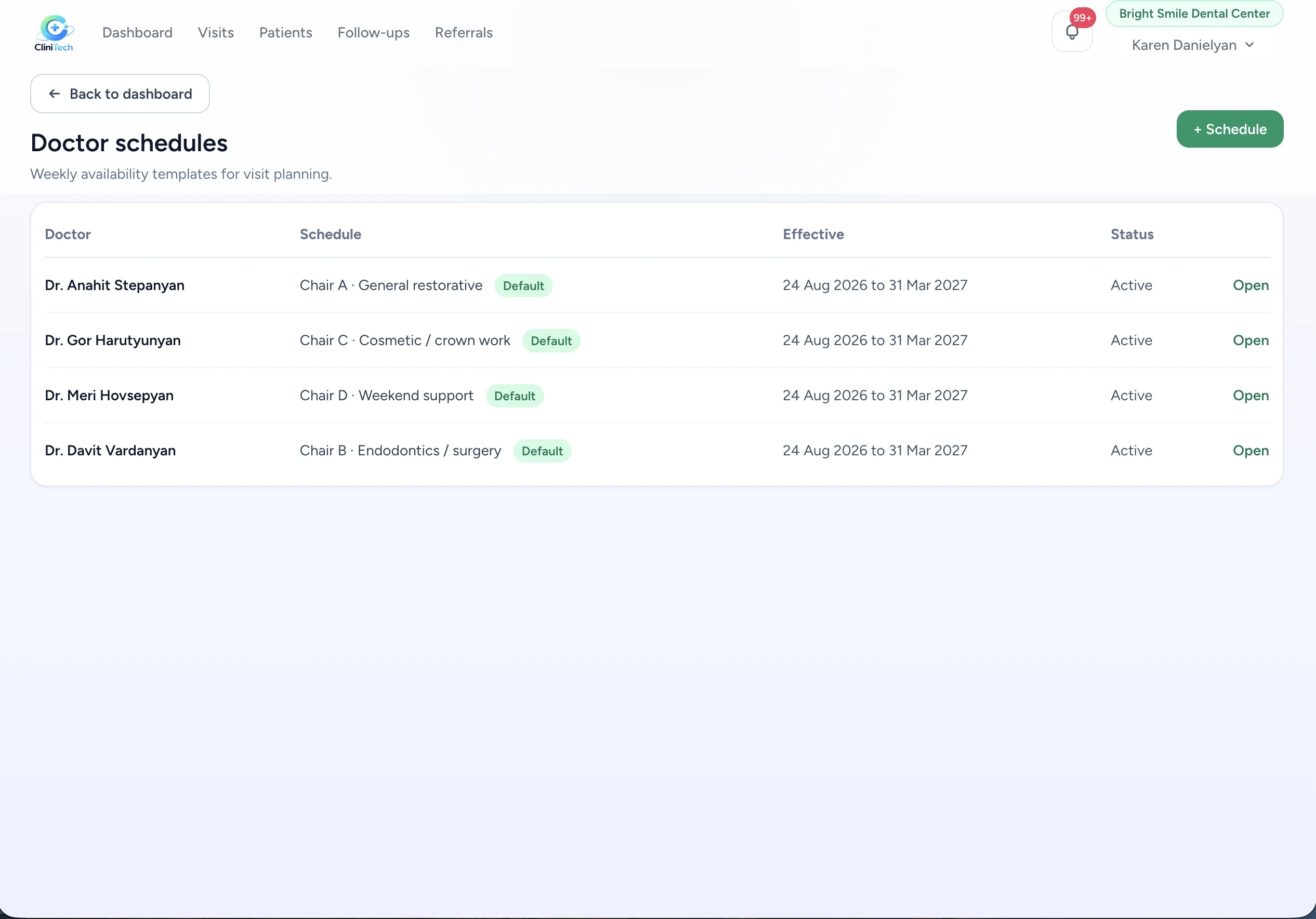
Manage multiple doctors and named schedules from one place. See effective date ranges and active or default schedule states while keeping schedule administration centralized.

Doctor schedules list with dates and status

Visit workflow

Scheduling stays connected to visits

A scheduled clinic day stays connected to the patient, visit, doctor, and status. The calendar supports the visit-centered workflow instead of a separate appointment system.

Explore patient management

Confirmation workflow

Keep visits moving toward confirmation

Use the Call to Confirm workflow to review visits needing confirmation while keeping patient and visit context close to the clinic day.

Connected workflow

DoctorScheduleVisitConfirmation

CliniTech keeps availability, visits, and the confirmation workflow connected across the daily clinic schedule.

Team access

Manage the schedule from desktop or mobile

Clinic admins, receptionists, and doctors can use scheduling tools according to their roles and permissions, whether they are working from desktop or mobile.

Talk to our team
Clinic schedule on web and mobile

Frequently asked questions

Can CliniTech manage schedules for multiple doctors?

Yes. The daily calendar shows doctors in separate columns so the clinic team can see visits across the day in one view.

Can each doctor have different working hours?

Yes. Doctor schedules support named schedules with their own weekly availability, working start and end times, and effective periods.

Can I set different availability by weekday?

Yes. Each schedule can define availability for individual weekdays, including days when a doctor is unavailable.

What are schedule slots and buffers?

Schedule settings include a slot duration and buffer value, which are visible as part of the doctor’s availability rules.

Can unavailable doctors be hidden from the calendar?

Yes. Schedule availability includes an option to hide a doctor from the calendar on unavailable days.

Can staff see visit statuses in the schedule?

Yes. The daily calendar keeps visit statuses and visit context visible while the team coordinates the clinic day.

Can the schedule be used on mobile?

CliniTech supports scheduling workflows on web and mobile, with access based on each staff member’s role and permissions.

Keep your doctors, visits, and clinic day organized.

Bring doctor availability, visits, and daily clinic coordination together in CliniTech.