What is dental clinic management software?
Dental clinic management software brings the patient record, daily schedule, visits, treatment information, and clinic workflows into one connected workspace.
 CliniTech
Built for dental clinic workflows
Run your dental clinic from one connected workspace. Manage patients, visits, doctor schedules, dental charting, treatment plans, files, follow-ups, and daily clinic workflows across web and mobile.
See how the daily schedule, patient record, dental work, and treatment planning stay connected.
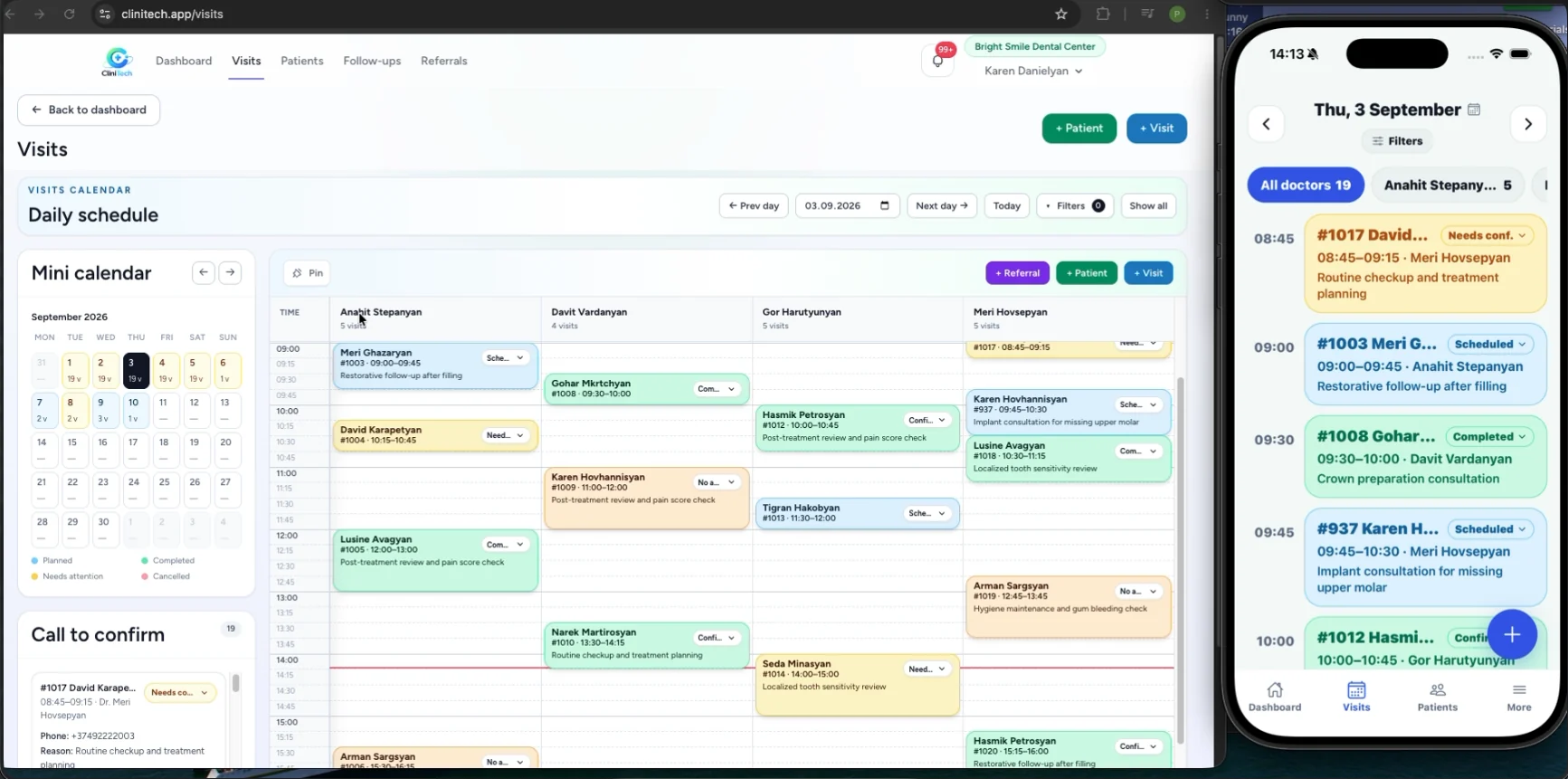
Daily clinic schedule
See multiple doctors, planned visits, and visit statuses in one operational view. Reception can create patients and visits, follow the call-to-confirm workflow, and keep the day moving without losing context.
The same clinic workflow is available on web and mobile for staff with the appropriate access.
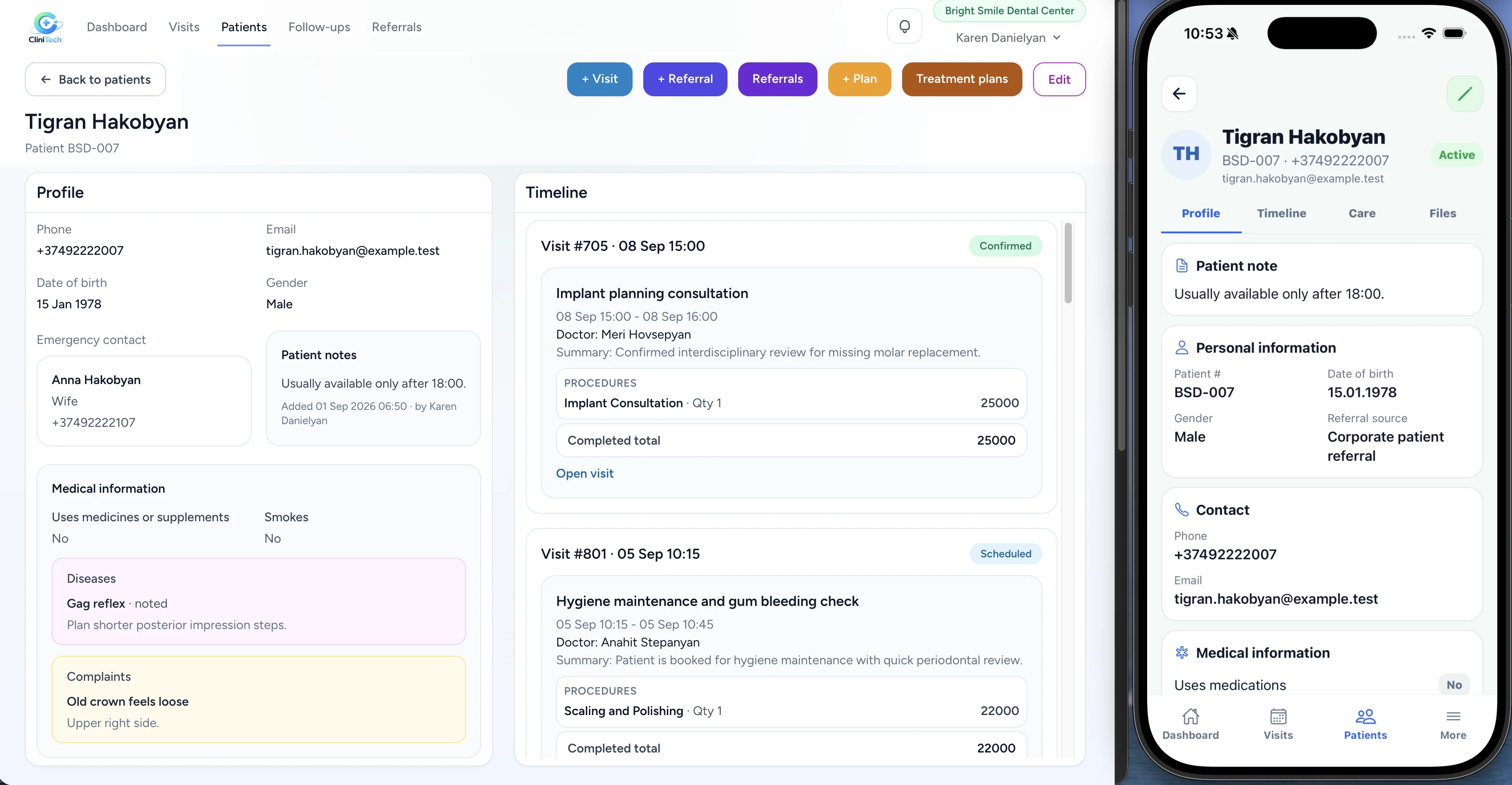
Patient management
Keep contact details, medical information, complaints, conditions, notes, files, visits, and related care context on a connected patient profile.
Explore the getting started guideDental workflow
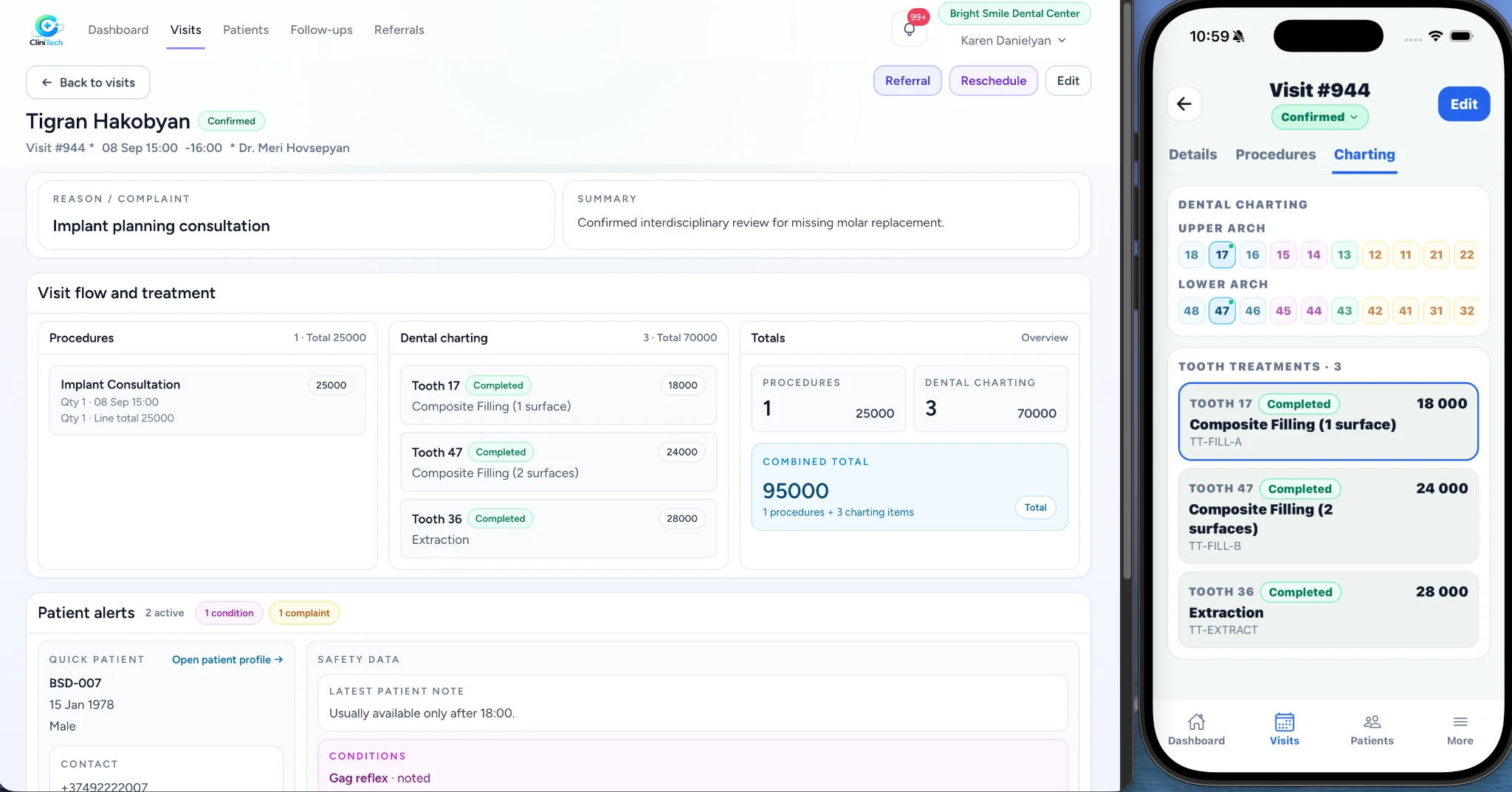
Record tooth-specific charting and treatments in the visit workflow. Keep planned and completed dental work visible alongside procedures and the patient’s care context.
Treatment planning
Build treatment plans with planned and completed items, connect them to visits, and keep assigned doctors and treatment progress visible to the clinic team.
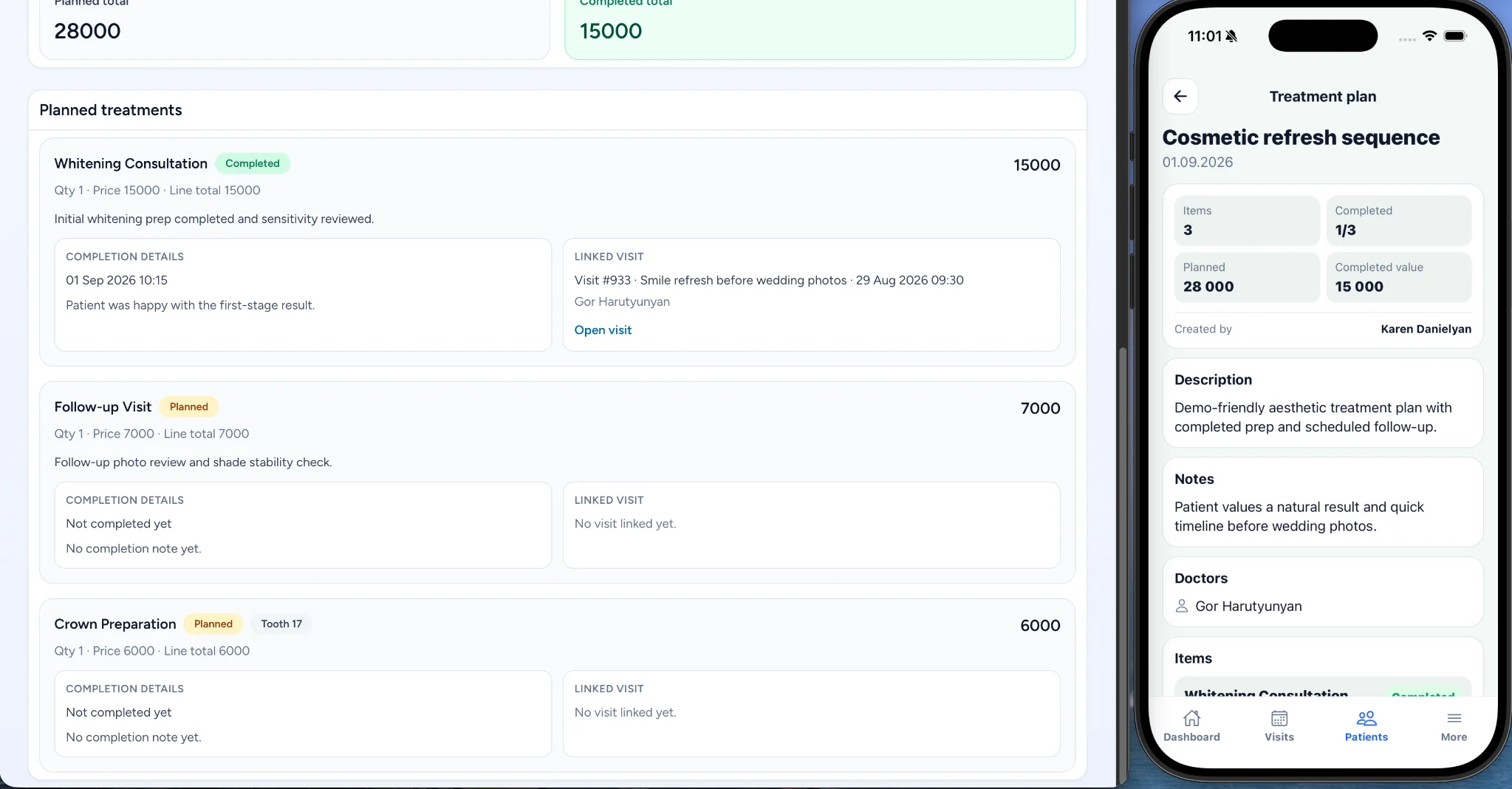
Connected workflow
CliniTech keeps the operational path connected, so the team can move from a patient to their visit, dental work, treatment plan, and follow-up without disconnected records.
Team workflow
Clinic administrators, receptionists, and doctors can work from the same connected system while using roles and permissions that reflect their responsibilities.
Use procedures, referrals, files, follow-ups, and the daily calendar as part of one clinic workflow—not a disconnected sales process.
Talk to our team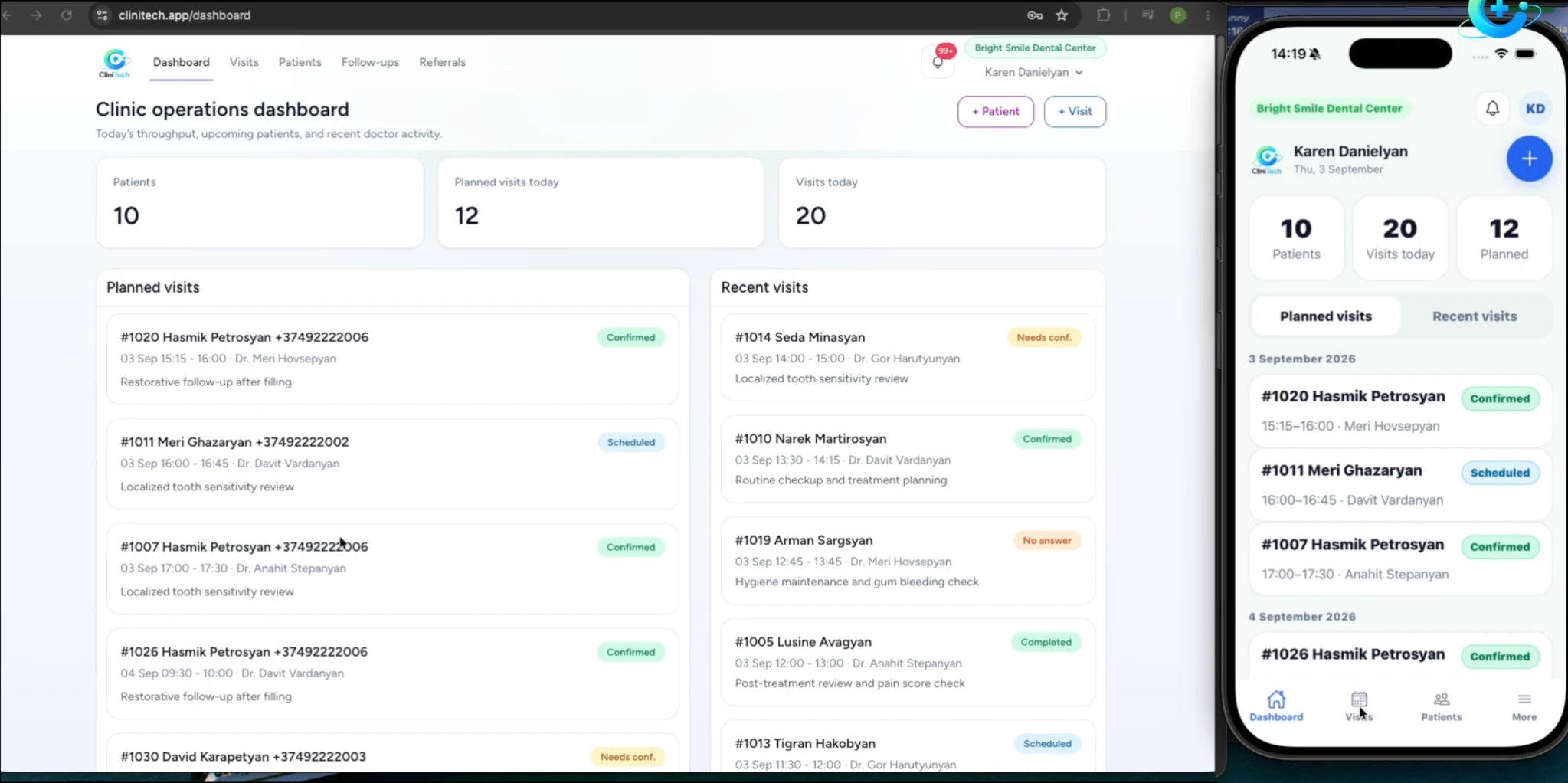
Web + mobile
Access the clinic workflow from desktop and mobile, with each team member’s access determined by their role and permissions.
Dental clinic management software brings the patient record, daily schedule, visits, treatment information, and clinic workflows into one connected workspace.
Yes. CliniTech provides a daily calendar view for doctor schedules and visits, helping the team see the clinic day at a glance.
Yes. Dental charting and tooth treatments can be recorded in the visit workflow, keeping dental work connected to the patient record.
Treatment plans keep planned and completed treatment items together with the patient’s care context, including related visits and assigned doctors where applicable.
Yes. Clinic staff can be assigned roles and permissions that match their responsibilities, including clinic administration, reception, and doctor workflows.
CliniTech supports clinic workflows on the web and mobile, with access based on each staff member’s role and permissions.
Bring your daily schedule, patient records, dental work, and treatment planning together in CliniTech.